- Business Process Management (BPM)Document Management System (DMS)Electronic Quality Management System (QMS)Risk, Governance & Compliance (GRC)Low Code Rapid Application Development (LC)Business Continuity Management (BCM)Enterprise Architecture (EA)Business Process Management (BPM)
 Document Management System (DMS)
 Electronic Quality Management System (QMS)
 Risk, Governance & Compliance (GRC)
 Low Code Rapid Application Development (LC)
 Business Continuity Management (BCM)
 Enterprise Architecture (EA)
- IndustriesRegulatory ComplianceUse CasesLearning CenterFramework & PracticesCorrective & Preventive Action (CAPA)IndustriesRegulatory Compliance
 Use CasesLearning CenterFramework & PracticesCorrective & Preventive Action (CAPA)
 - AboutCustomer SuccessPartnersAbout
 Customer SuccessPartners





Low Code Rapid Application Development
Please Select contact form.
Digital Business Platform - Build Accurate Simple to Complex Apps FAST:Days and Weeks, not Months


Design and Manage Electronic Forms with Low-Code
Low-code form design enables teams to create electronic forms quickly, standardize data capture, and support consistent execution across departments. Interfacing’s Digital Business Platform helps organizations design forms that can support workflow steps, validations, and structured inputs without heavy custom coding.
- State-of-art drag & drop design (WYSIWYG) that will empower even non-technical users & non-coders to build simple forms
- Various simple controls (checkboxes, radio buttons, date pickers, etc.) & advanced controls (grid views, searchable dropdown lists, etc.) for flexible form design
- Auto-generate form fields based on defined entities and attributes
- Auto-fill form fields based on internal or external data, or based on data from previous steps
- Pre-defined themes & pre-built modules of forms are available for less experienced users
- Form validation based on simple on-demand or complex rules
- Form preview during design phase & form output in web environment
- Work with Master-Detail forms
- Standardized process modeling, that enforces that every employee will be using the same workflow diagrams
- Customized Word or PDF reports based on the designed forms


Design and Manage Business Processes with Low-Code
Business process design and management is how organizations define, standardize, and control how work is executed, across people, systems, and data. Interfacing’s Digital Business Platform supports end-to-end process design and execution so teams can improve operational efficiency while maintaining traceability, controlled change, and audit-ready documentation.
Design processes visually, align decision points and routing rules, and manage human-based, system-based, or combined human-system workflows in a single centralized environment. This helps teams reduce variation, improve consistency across departments, and support compliance-focused governance without slowing down delivery.
- Create multiple process models and related applications within a single design entity.
- Define decision points (routing) and parallel activities to reflect real execution paths.
- Specify distinct component behavior for each step to support consistent outcomes.
- Import and export process diagrams using XPDL, supporting BPMN-aligned exchange between tools.
- Validate process design to reduce errors before deployment and change rollout.
- Assign decision logic, action rules, guard rules, and triggers to process steps.
- Manage controlled changes to active processes and running instances with governance in mind.
- Route work based on data and user actions to support consistent execution.
- Handle process exceptions in a structured way to reduce operational risk.
- Configure notifications (for example SMS, web, and email) across key steps to support accountability.


Design Data Entities to Power Low-Code Applications
Entities define the structured data used by low-code applications. Interfacing enables teams to model entities and attributes that ensure consistent data, reliable reporting, and governed application behavior across the enterprise.
- Process-based & standalone entities
- A variety of types (text, digit, date, time, etc.) to define entity attributes
- Entity relationships (interrelated & self-related entities)
- Relationships to system entities
- Hierarchical view & ERD view
- Manage functions, stored procedures & views
- View entity tables, classes & execution details
- Change & Manage built-in tables and database structure
- Auto-deploy data structure to the EPC reporting tool

Design and Manage Tasks for Process Execution
Tasks translate process steps into executable work items with clear ownership, priorities, and timelines, ensuring accountability and consistent execution across workflows.
- Define task titles by using process information
- Define different tasks for each step of a process
- Define task priority levels
- Assign tasks by users, groups/roles, positions, random, data, timesheets…
- Change task performers and task properties using different conditions
- Create dynamic tasks
- Task notification via SMS, e-mail or In-App to end users
- Time sheet recording: record jobs/tasks by schedule
- Collect analytical metadata: execution time and waiting time, cost/unit of execution time and cost/unit of waiting time in job lists, etc.
- ARPG reports for each task: automatic send report settings and automatic connection to reports on a remote server
- Track the actual time each user spends on a task by timesheet subsystem

Build and Manage Process-Based Applications with Low-Code
Process-based applications combine forms, tasks, and workflows into governed solutions. Interfacing enables organizations to build and manage BPMS-based applications centrally, supporting reuse, controlled changes, and consistent execution at scale.

Integrate Low-Code Applications with Enterprise Systems
Interfacing enables low-code applications to integrate with external systems and data sources, reducing manual handoffs and supporting connected, end-to-end business processes across the enterprise.
- Directly through databases such as JDBC, ODBC (MS SQL, MS Access, Oracle DB, Excel, etc.)
- .NET assembly
- COM Components (Interop)
- Web Services
- Via Web Service/ WCF
- Via SQL tables

Define and Manage Business Rules, Guards, and Actions
As organizations evolve, workflows must adapt to changing business rules without disrupting core processes. Interfacing’s rule engine enables teams to define and manage routing rules, conditions, and actions centrally, independent of process logic.
By separating rules from processes, updates are applied consistently across related workflows, supporting conditional logic, gateway decisions, and pre- and post-action events while maintaining alignment with business and compliance requirements.
- Using C# syntax
- Using graphical rule designer to minimize coding
- Design rules using Visual Studio
- Raise rules within each step of a process
- Raise rules within actions, guards and other rules
- Call rules via processes, forms, or events
- Change rules at real time
- Connect rules, guards, and actions to external resources

Monitor Process Performance with Business Activity Monitoring
Business Activity Monitoring provides real-time visibility into process execution and performance. Interfacing enables organizations to monitor tasks, workflows, and key process indicators through interactive dashboards driven directly by live process data.
These insights support operational governance, risk mitigation, and informed decision-making across enterprise workflows.
- Number of current tasks in progress within the process
- Number completed tasks
- Auto-define process tables
- Different tracking metrics such as Average Process Time, timesheet data about each task instance, etc.
- Task-based and form-based integrated dashboards & reports
- Design and define reports by using ARPG, user’s tasks, number of processes, process behaviors, etc.
- Pass parameter to/from reports based on live data
- Data can be loaded to/from the running instances, other RAD Apps, or any third party data source
- Identify process bottlenecks by analyzing process reports

Business Dashboards for Operational and Performance Insight
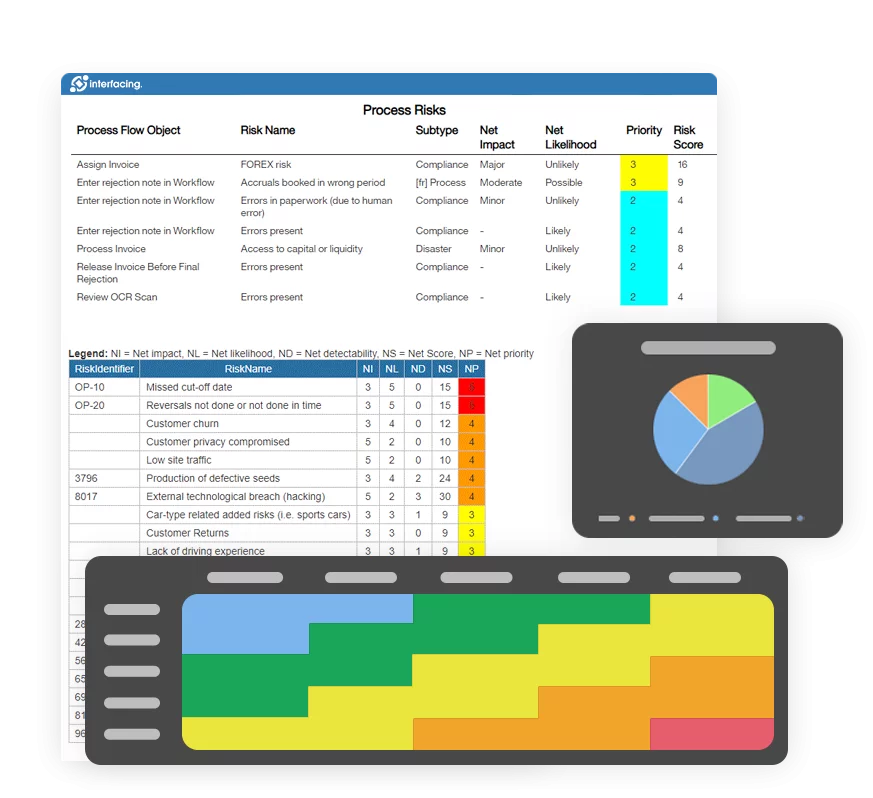
Business dashboards transform process and operational data into actionable insights. Interfacing enables teams to design dashboards that track KPIs, metrics, and performance trends while minimizing development effort.
Dashboards support faster decision-making by providing clear visibility into current performance across processes, applications, and business units.
- Drag & drop dashboard designer allowing even even non-technical business users to build dashboard
- Responsive UI for dashboards
- Connect to external data resources-OLEDB, ODBC/JDBC, MS SQL Server, Excel, Oracle Database, etc., extending your dashboard in no time
- Interrelated & parametric KPIs
- Support cached & real-time data
- Mixed data from multiple data source (include third party systems)
- Dashboard drilldown
- Time schedule on reloading cached data
- Over 30 types of charts – Cron, Gauge, Bar chart, Bubble chart, Point chart, Doughnut, Pyramid chart and so on.

Electronic Services for Notifications and Process Integration
Electronic services enable automated notifications and system interactions based on process events. Interfacing allows organizations to configure notifications, messages, and integrations that synchronize workflows across internal and external systems.
This capability improves responsiveness, supports process automation, and ensures timely communication throughout process execution.
- Tracking code support
- Providing an automatic tracking code to a task at the process initiation stage
- Generate tracking codes based on customized formats
- Monitor task history simply by using your tracking code
- Automate the follow-ups of a process by enabling notifications on different platforms, whether they are web-based, in-app notifications, text message notifications, or email notifications
- Define offline process initiator form


Documentation: Driving Transformation, Governance and Control
• Gain real-time, comprehensive insights into your operations.
• Improve governance, efficiency, and compliance.
• Ensure seamless alignment with regulatory standards.

eQMS: Automating Quality & Compliance Workflows & Reporting
• Simplify quality management with automated workflows and monitoring.
• Streamline CAPA, supplier audits, training and related workflows.
• Turn documentation into actionable insights for Quality 4.0

Low-Code Rapid Application Development: Accelerating Digital Transformation
• Build custom, scalable applications swiftly
• Reducing development time and cost
• Adapt faster and stay agile in the face of
evolving customer and business needs.
AI to Transform your Business!
The AI-powered tools are designed to streamline operations, enhance compliance, and drive sustainable growth. Check out how AI can:
• Respond to employee inquiries
• Transform videos into processes
• Assess regulatory impact & process improvements
• Generate forms, processes, risks, regulations, KPIs & more
• Parse regulatory standards into requirements